Free · no sign-up · no ads · 50 designs

Free invoice generator

A free invoice creator online: make a professional invoice in a minute, pick a design and save a clean PDF. Everything you type stays in your browser.

Colours
Font
Layout
Table
From
Bill to
Invoice
Items
Totals
Payment
Sam Okoye Freelance303 Sample StreetSpringfield, IL 62701hello@samokoyefreelance.example
InvoiceINV-1030
Bill toJuniper Street Cafe62 Juniper StreetAustin, TX 78701hello@junipercafe.example
Date
Nov 16, 2026
Due
Dec 16, 2026
Balance due
$1,055.00
DescriptionQtyRateAmount
Project work, hours12$65.00$780.00
Research3$55.00$165.00
Project management2$55.00$110.00
Subtotal
$1,055.00
Total
$1,055.00
Payment details

Bank transfer Sample Bank Account name: Sam Okoye Freelance Account: 0000 1234 5678

Terms

Payment is due within 30 days of the invoice date. Please quote the invoice number with your payment.

Thank you for your business

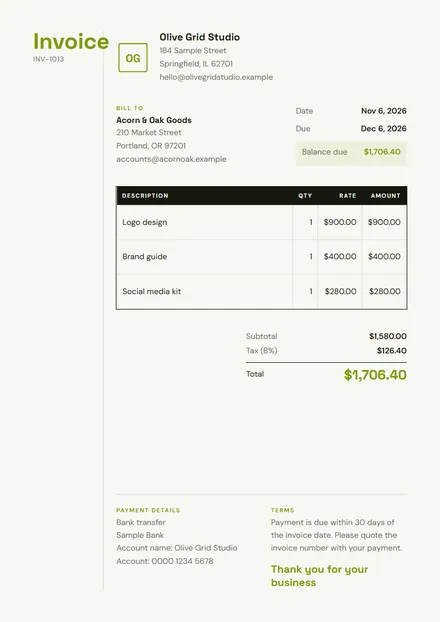
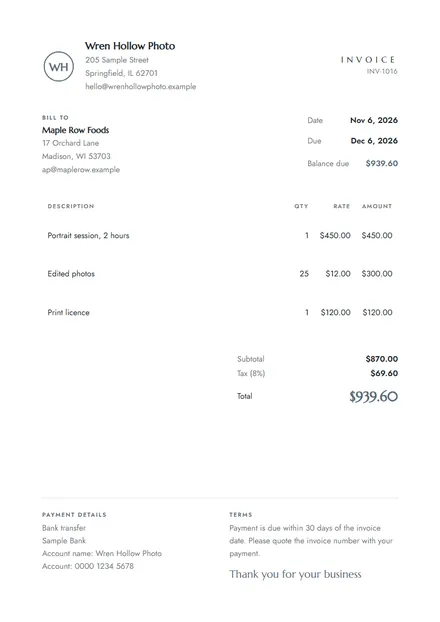
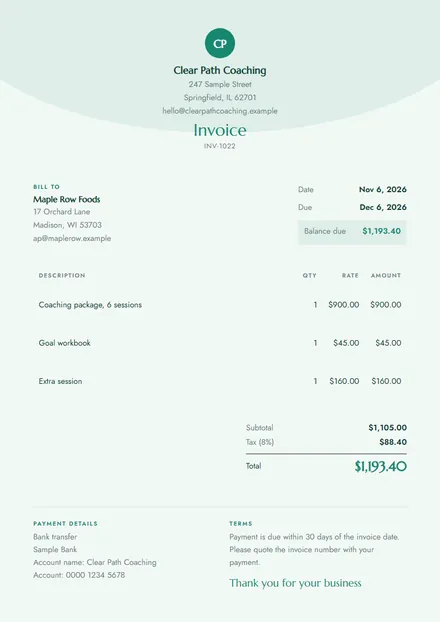
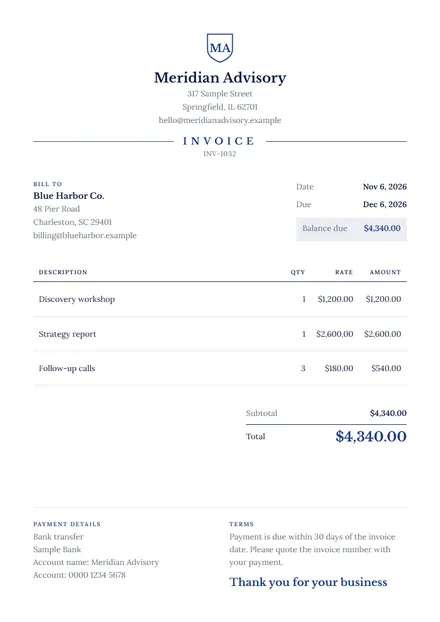
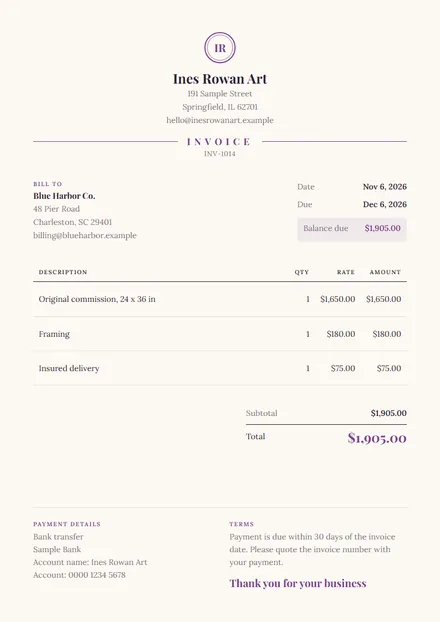
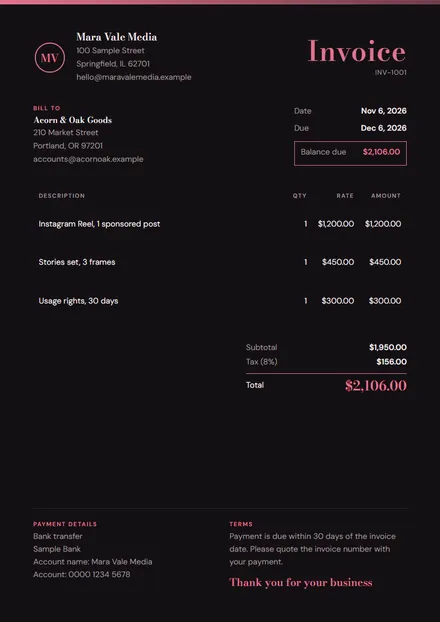
Choose one of 50 designs

How do I make an invoice online for free?

Here is how to prepare an invoice in four steps:

  1. Type your name, address and email, and upload your logo.
  2. Add your client and give the invoice a number and a due date.
  3. List your work, one line for each item. The total updates as you type.
  4. Press Download PDF, choose Save as PDF, and email it to your client.
50 designs

Start from a template made for your work

Each design comes filled in with lines that suit that job, so you only change the details.

See all 50 invoice templates

Invoice structure

What every invoice needs

A clear invoice gets paid sooner, because nobody has to write back to ask what it means.

  1. Your detailsYour business name, address and email.
  2. Your client's detailsWho you are billing, by their legal or trading name.
  3. An invoice numberA unique number, so both sides can refer to it.
  4. The datesWhen you issued it and when payment is due.
  5. Each itemWhat you did, how many, and the price of each.
  6. The totalSubtotal, tax, discount and the balance due.
  7. How to payYour payment method and terms, such as net 30.
  8. Tax detailsYour tax number, where your country asks for one.
Free invoice download

Create an invoice form, download a PDF invoice, done

Looking for a free create invoice tool with no strings attached? This create invoice form is free to use as often as you like. There is no account to create and no watermark on your PDF invoice, and you can download every invoice you make. Create invoice after invoice: press New invoice and the number moves up by itself while your own details stay in place.

Why not use Word or Excel?

You can, but a word processor will not add up your lines, keep your numbering, or stay in shape when you change something. Here, the totals, tax and discount work themselves out, and the layout holds whatever you type.

When to use an invoice

Send one whenever you ask a client to pay for finished work or delivered goods: after a project, at the end of a month of hourly work, or for a deposit before you start. Businesses usually need one for their records before they can pay you.

Who uses this invoice maker

Freelancers, creators, coaches and small businesses. Start from the design closest to your work: influencers, artists, marketing work, events, wedding vendors, food and catering or general services.

Sending an invoice

How to send an invoice

Send a PDF rather than a screenshot or a link: it looks the same on every device, and your client's accounts team can file it. Attach it to an email with the invoice number in the subject line, and say in one or two lines what it covers and when it is due.

Send it as soon as the work is done. Then note the due date, and if it passes, send a short, friendly reminder with the same PDF attached.

How to make a service invoice

For a service, the description does the most work. Say what you did and when, not just "consulting". If you charge by the hour, put the hours in Qty and your hourly rate in Rate, and the tool does the sum. See the services invoice template for a filled-in example.

Invoice, receipt or estimate?

The three documents compared.
DocumentWhen you send itWhat it says
EstimateBefore the workWhat it will probably cost
InvoiceAfter the workWhat the client owes you
ReceiptAfter paymentWhat the client has paid
Selling online?

Stop writing invoices by hand

If you sell digital products, courses or coaching, you can skip this step. Sellwares creates an invoice for each sale by itself, and buyers pay through your own Stripe or PayPal account, with 0% transaction fee on every plan.

See how selling works

Questions

Invoice generator FAQ

How do I create an invoice for free?

Fill in the form on this page: your details, your client, and one line for each thing you are charging for. The total works itself out. Press Download PDF and choose Save as PDF. It is free, with no sign-up and no ads.

What should an invoice include?

Your name and contact details, your client's details, a unique invoice number, the date, the due date, a description of each item with its quantity and price, the total, and how to pay. Some countries require more, such as a tax number.

How to prepare an invoice, step by step?

Add your business details, add your client, give the invoice its own number and date, list your work line by line, add tax or a discount if they apply, set the due date, and state how you want to be paid. Then save it as a PDF and send it.

How do I send someone an invoice?

Save it as a PDF and attach it to an email. Put the invoice number in the subject line, say what it is for and when it is due in one or two lines, and keep the PDF so you have your own copy.

How do I make an invoice for a service?

Describe the work on each line and bill by the hour or by the job. For hourly work, use the hours as the quantity and your hourly rate as the rate. Add the dates the work covers, so the client can match it to the job.

What is the difference between an invoice and a receipt?

An invoice asks for payment. A receipt proves payment was made. If a client has already paid, enter the amount in Amount paid: the balance due shows zero and the invoice records the payment.

Do I need a business to send an invoice?

In most places you can invoice in your own name, as a freelancer or sole trader. Rules differ by country, so check what your tax office asks for. This tool does not give tax or legal advice.

Is my invoice data private?

Yes. Everything you type stays in your own browser, including your logo. Nothing is sent to Sellwares, and your details are remembered only on this device so you can pick up where you left off.

Can I add my own logo?

Yes. Press Upload logo and pick an image. It stays on your device and appears on the invoice straight away.

Can I change the currency?

Yes. Choose from US dollars, euros, pounds, Swedish kronor, Canadian dollars and Australian dollars. Amounts are written the way that currency is usually shown.

This tool makes a document; it does not give tax or legal advice. The details shown first are a made-up sample.
Simon William

Built by

Founder

Founder of SellWares.com

Simon is the visionary founder of Sellwares, where he leverages a decade of deep experience in software development and technical project management. With a strong track record at both industry giants like Spotify and nimble startups, he has successfully directed complex tech projects from conception to launch. Simon's unique blend of software engineering acumen and strategic product management enables him to build intuitive, scalable platforms that bridge technical possibilities with genuine market needs, earning him trust as a reliable voice in E-commerce and technology solutions.

  • E-commerce Platform Development
  • Software Architecture
  • Technical Product Management
  • Scalable Cloud Solutions
  • UI/UX Design for E-commerce

Everything by Simon →